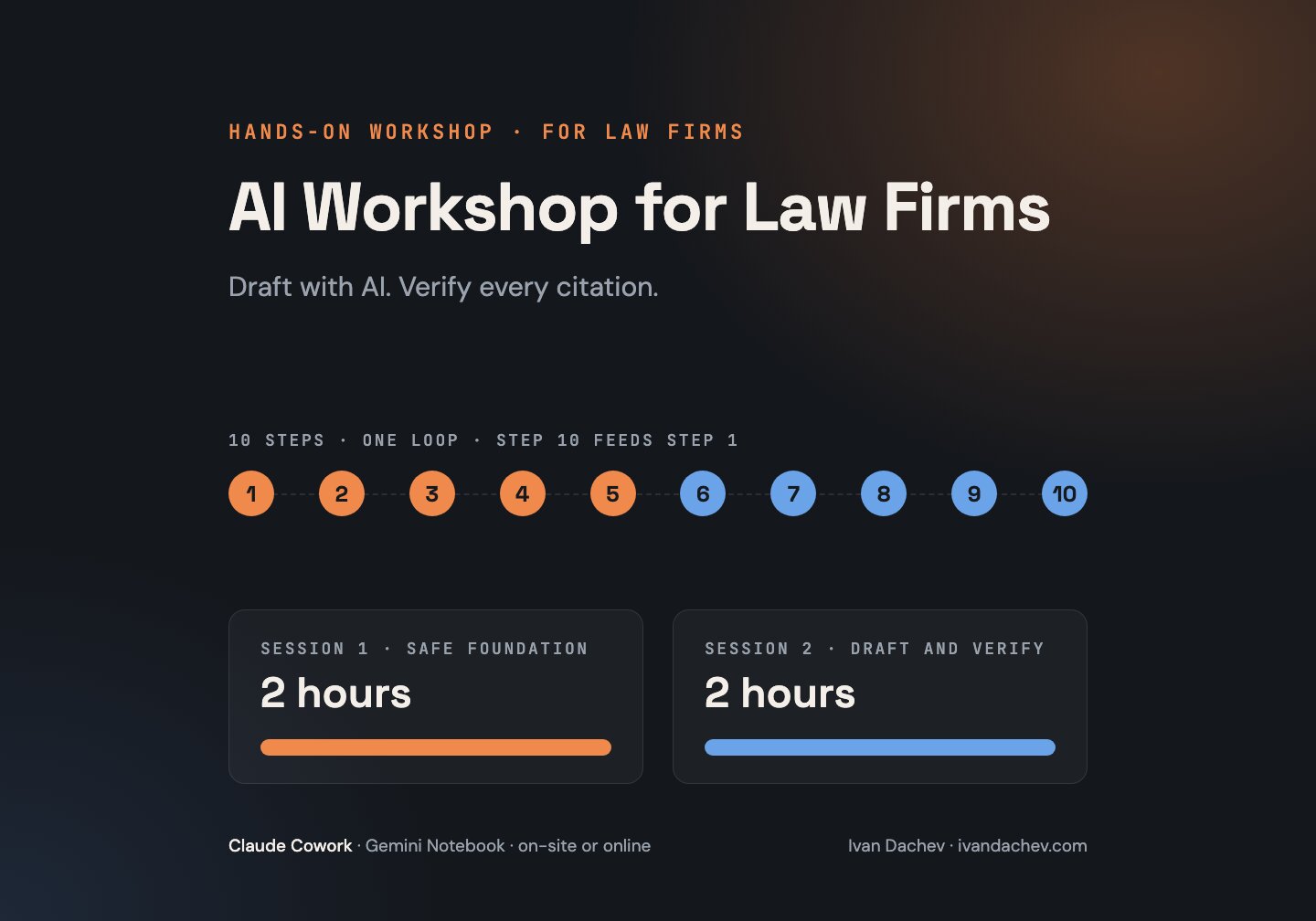
I run a hands-on workshop for law firms in Bulgaria that want to use AI in their daily work: contract reviews, case chronologies, research notes and letters to clients. We work with Claude Cowork in Claude Desktop and Gemini Notebook (formerly NotebookLM). The AI writes the draft, and the lawyer checks and signs it.
The principles are the same as in my AI Coding Workshop for software teams: short instructions for the AI, a small checked set of tools, a written assignment before the work, a human review and learning from every session. There is no code here. We work with a folder of case documents.
Claude Cowork is the mode in which Claude works with the files in a folder you choose. Since 16.09.2026 it is part of the normal conversation in Claude, and you no longer pick it separately (Anthropic). Gemini Notebook is Google’s tool for working on the documents you upload. Google renamed NotebookLM to Gemini Notebook on 16.07.2026 (Google).
Why Now
- AI literacy under Article 4 of the EU AI Act. The duty applies from 2.02.2025, and supervision from 2.08.2026. It also covers organisations that use AI systems in their work, and it concerns the people who use them on their behalf. According to the European Commission, no certificate is needed, no specific level is required, and the organisation can keep an internal record of the trainings. The Digital Omnibus amendments are in force since mid-July 2026 (European Commission, AI literacy Q&A).
- CCBE guidance for lawyers (2 October 2025). No personal, confidential or other client data in the AI tool unless appropriate safeguards are in place. Verify the output before you use it. Be transparent with the client when you can reasonably expect an informed client to object, set conditions or have reservations about the use of AI (CCBE guide on the use of generative AI by lawyers). This is guidance from a professional body, not a binding rule in Bulgaria.
- UIA (International Association of Lawyers) guidelines, published in translation on the website of the Bulgarian Supreme Bar Council. Read the terms of the AI system. When possible, choose a system that does not keep the information you enter. If that is not possible, anonymise the data (UIA guidelines). This too is guidance from a professional body. Publication on the Bar Council’s website does not mean that the Council has adopted it as rules. Claude and Gemini Notebook keep what you enter, so in the workshop we apply the second part: anonymised documents and the firm’s approval.
- A real example of the risk. In the Al-Haroun case, decided together with Ayinde by an English court on 6.06.2025, 18 of the 45 cited judgments do not exist (Ayinde v Haringey, [2025] EWHC 1383 (Admin)).
- The tools are already here. On 12.05.2026 Anthropic released 12 legal plugins that are available in Claude Cowork (Anthropic).
Who It Is For
- Partners and managing lawyers who want shared rules for AI in the firm.
- Lawyers and associates who work with many documents.
- Assistants and office managers who prepare research notes and correspondence.
Format and Duration
The workshop can run on-site at your firm or online.
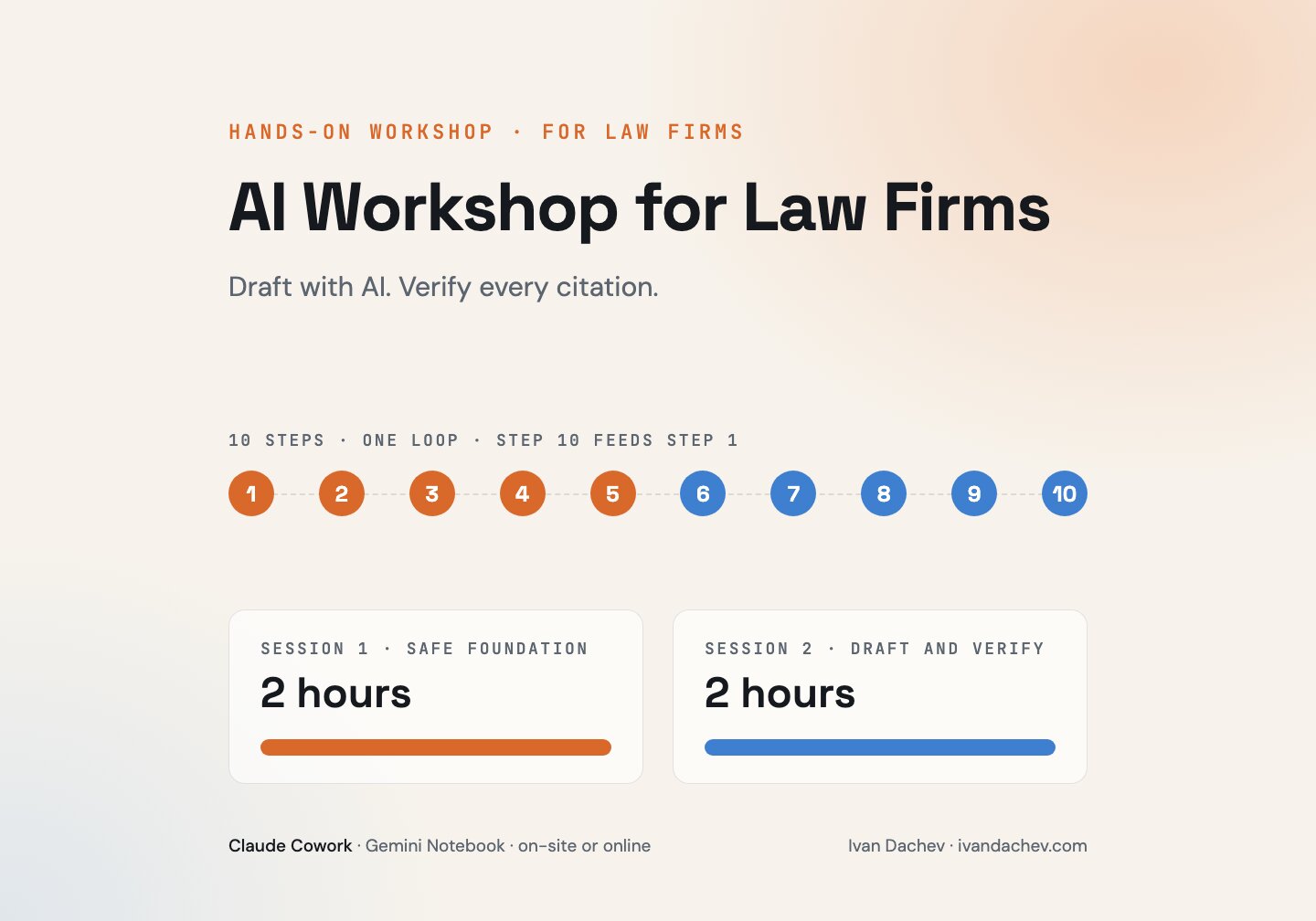
The format is 2 sessions of 2 hours. We set up the accounts before the first session, so the time goes to practice. The program and the pace are adapted for each firm. We agree on the number of participants and the language of the workshop in the first conversation.
The Program
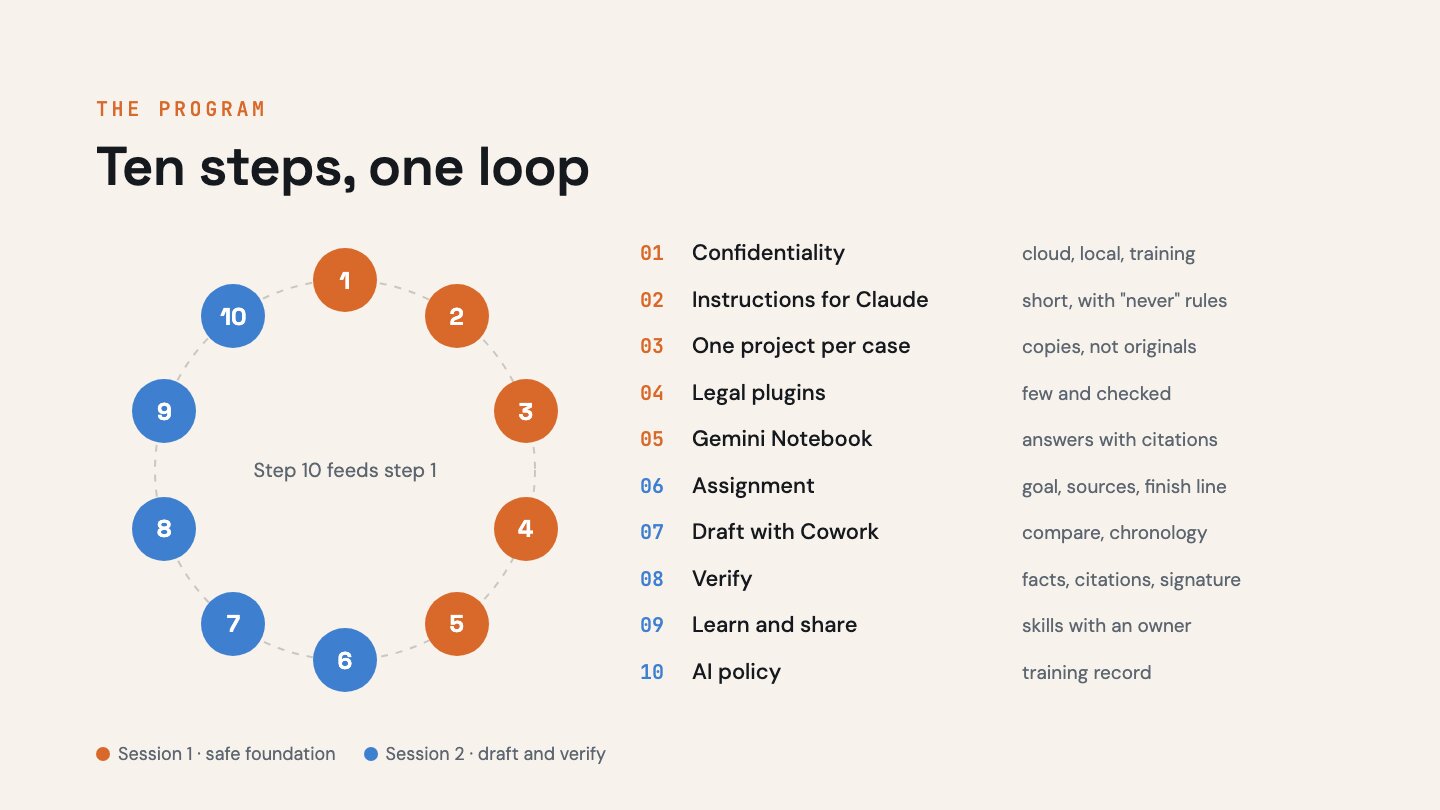
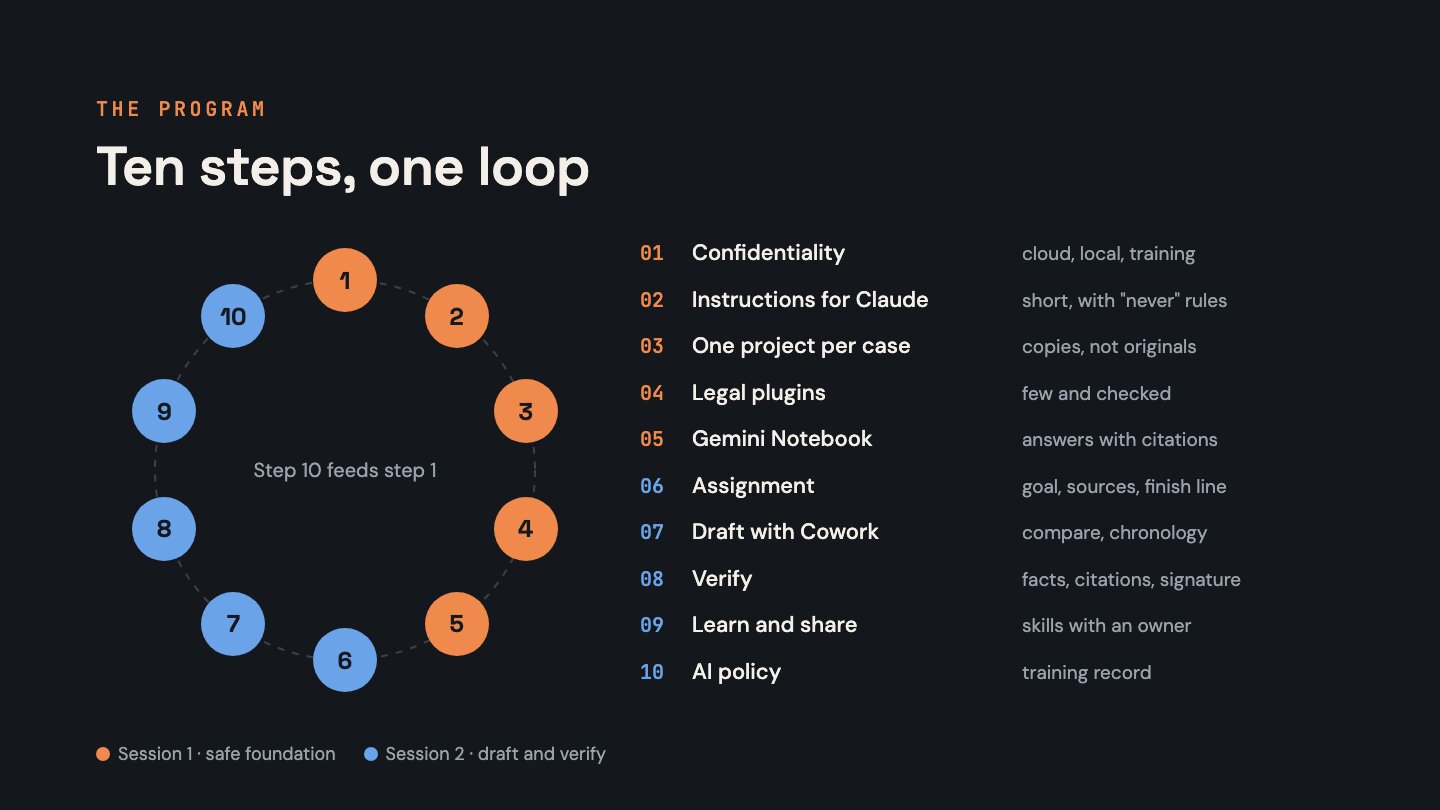
The workshop follows one loop of ten steps. The last step feeds the first, so the firm’s rules get better with every loop.
The exercises are built on one fictional case: two versions of a contract, correspondence, a first-instance judgment, notes from a client meeting and an NDA. The case documents are in Bulgarian.
Session 1 – A Safe Foundation
- Confidentiality and account setup. We separate four questions. Is the data used to train models? Where does the work run – in the cloud or on your computer? Where does the model process the documents? Where is the data stored? We also decide what never goes into the AI.
-
Instructions for Claude. Short general instructions for the firm and instructions for the case folder: who you are, which style and language you use, and what Claude never does. We write the first version with Claude, then trim it by hand.
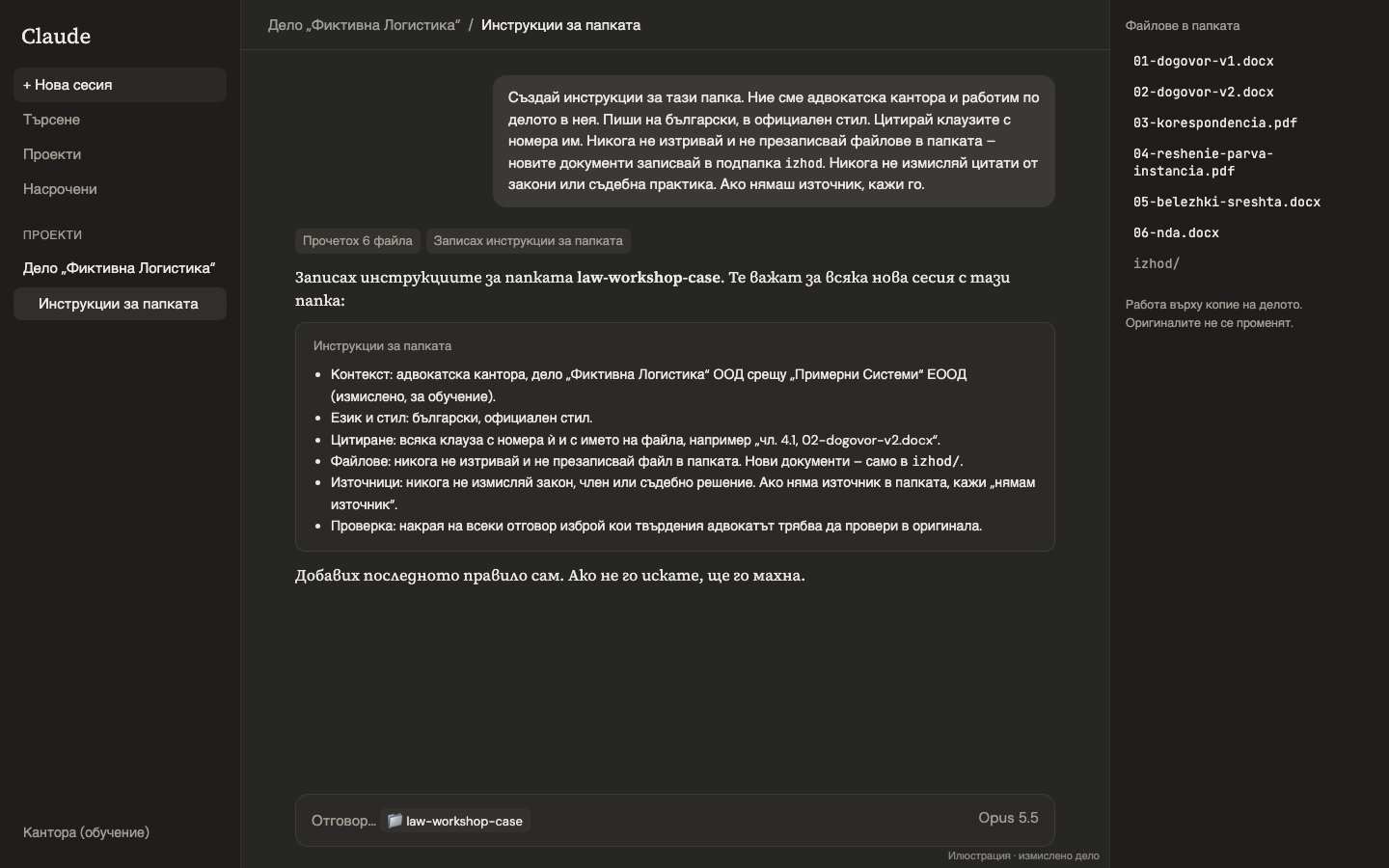 An illustration of work in Claude Cowork with the fictional case, in Bulgarian. It is not a
screen from the real product.
An illustration of work in Claude Cowork with the fictional case, in Bulgarian. It is not a
screen from the real product. - One project per case. A project in Cowork has its own files, instructions and memory. We work on copies, not on originals. A separate project does not isolate the cases by itself: the project’s memory is shared with conversations outside projects until you turn it off (Anthropic).
- Legal plugins. We show a small checked set. For example, the Legal plugin has commands for a contract review and for a first triage of an NDA. Anthropic itself says that the outputs must be reviewed by a licensed attorney (Legal plugin). We check whether a plugin fits Bulgarian law and adapt it.
-
Gemini Notebook – answers based on your sources. We upload laws, case law and the case documents. Google describes chat answers as answers with citations to the sources and says itself that the tool can make mistakes (Google). So we do not accept an answer without a citation, and for every citation we check the passage and whether the source is still in force. An Audio Overview in Bulgarian gives a quick review of the case.
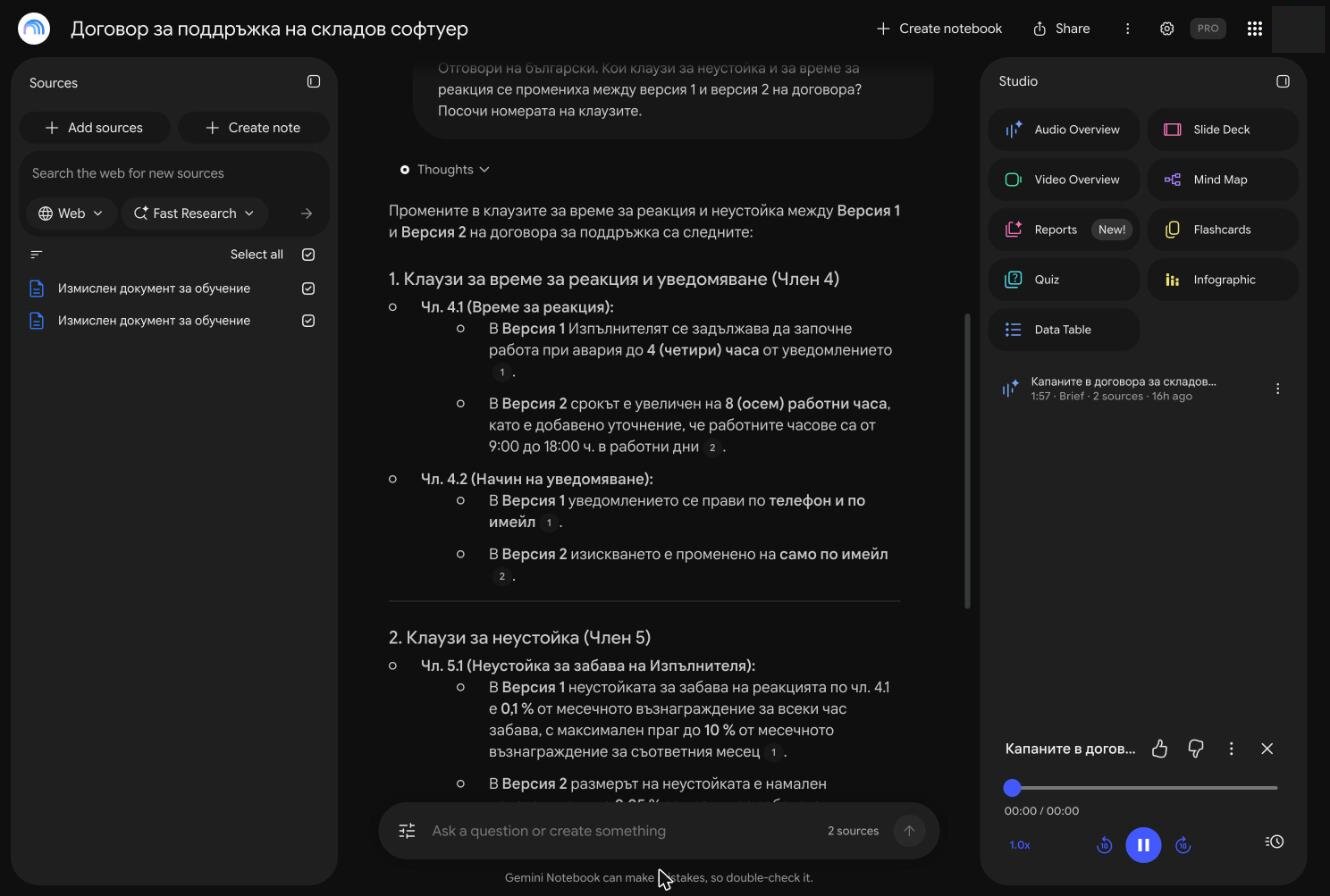 Gemini Notebook with the fictional case: an answer with numbered citations to the sources. On
the right is a two-minute Audio Overview in Bulgarian on the clauses that hurt the client.
Gemini Notebook with the fictional case: an answer with numbered citations to the sources. On
the right is a two-minute Audio Overview in Bulgarian on the clauses that hurt the client.
Session 2 – Draft, Verify, Process
- An assignment before the work. A template with the goal, what is out of scope, the sources and what a good result looks like. Claude first proposes a plan, and you approve it.
-
Cowork writes the draft. The main exercise: a comparison of two versions of a contract and a chronology of the case from the correspondence. Claude asks for explicit permission before it permanently deletes a file. The participant approves every deletion and everything that goes out.
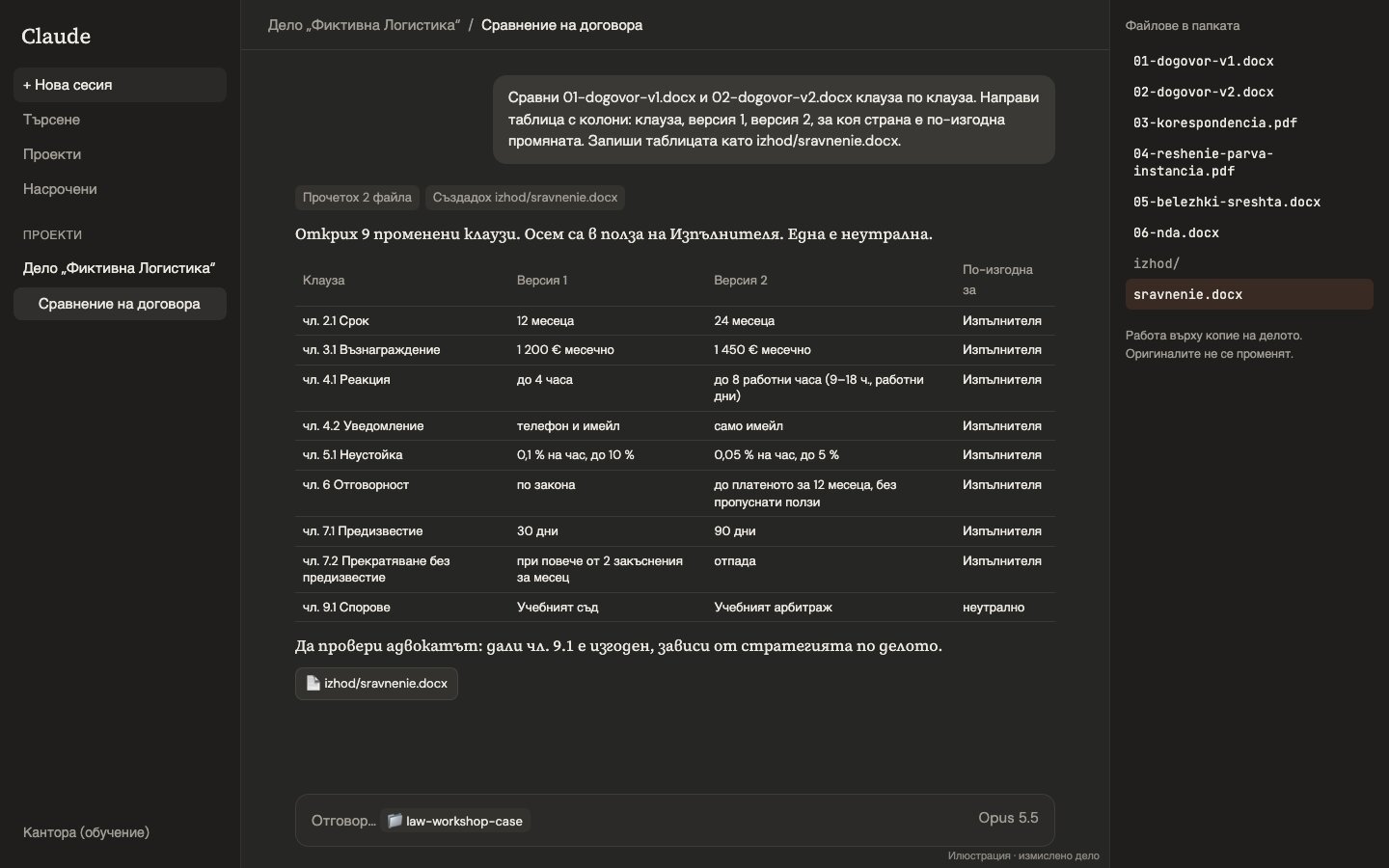
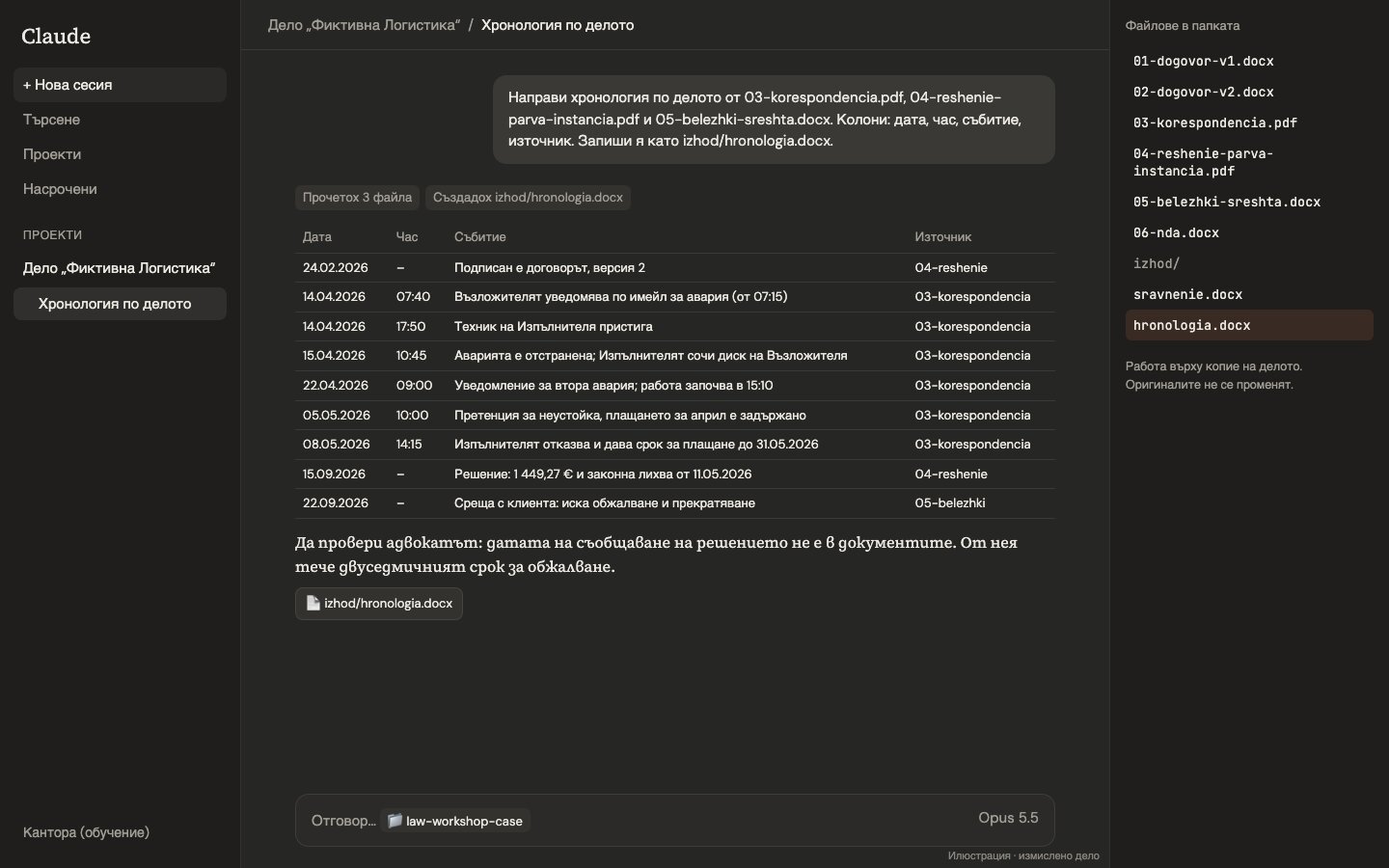 Illustrations of work in Claude Cowork with the fictional case, in Bulgarian. They are not
screens from the real product. The “Да провери адвокатът” (“for the lawyer to check”) notes mark
places for human review. We check the rest of the output too.
Illustrations of work in Claude Cowork with the fictional case, in Bulgarian. They are not
screens from the real product. The “Да провери адвокатът” (“for the lawyer to check”) notes mark
places for human review. We check the rest of the output too. - Verification. Not only the citations. We check that the facts are correct and complete and that the result meets the assignment. Every reference is checked against the original. A second review runs in a new session. The final word belongs to the lawyer who signs.
- Learning and sharing. A short retro after each task: what did I correct more than once? Repeated corrections become rules or skills – saved instructions for a repeated task that Claude reuses. Every shared skill has an owner and a version and is checked before the whole firm gets it.
- An AI policy and a training record. A one-page draft AI policy and a list of participants. They are a supporting record of the measures under Article 4, not a guarantee of compliance. The policy feeds step 1 in the next loop.
Your Own Documents
The exercises use the fictional case. We use the firm’s own documents only if the firm approves it, and under these conditions. They then replace the fictional contract in the second half of step 7 and in step 8.
- Suitable accounts. Claude on a Team or Enterprise plan, and a Google Workspace account for Gemini Notebook. On Anthropic’s commercial plans, inputs and outputs are not used for training by default. The exception is feedback (thumbs up or down), which the account owner can turn off (Anthropic). With a Workspace account, Google does not use the data in Gemini Notebook for training, and people do not review it (Google).
- Review before upload. Templates and internal samples without client data come first. Everything else is anonymised and approved by the firm.
- Memory and feedback turned off. Memory is turned off for the project. The owner turns feedback off for the whole organisation (“Rate chats” in Organization settings > Data and Privacy). Both happen before the firm’s documents go in.
- No passwords or trade secrets, under any circumstances.
- Licences. Texts from paid legal databases go in only if the licence explicitly allows uploading and processing in another service. Otherwise we use official public sources.
It is important to be clear about what “local” means. In Cowork the work runs either in the cloud, on Anthropic’s servers, or locally, on your computer. “Local” only means that the files and the work itself stay on the computer. To read a document, the model still receives its content on Anthropic’s servers. So “local” does not mean that the data never leaves the computer.
Since 6.10.2026, new tasks on the Pro and Max plans run in the cloud (Anthropic). On the Team plan the owner can turn cloud sessions off. In local sessions, the conversation history stays on the users’ computers (Anthropic). Anthropic states that the data of its commercial products is stored in the US (Anthropic). The GDPR assessment – the data processing agreement with the provider and the basis for a transfer outside the EU – belongs to the firm. We raise it as a question in step 1, but the workshop does not replace it.
These measures reduce the risk, but they are not a guarantee of confidentiality: a plan on which the data is not used for training, feedback and memory turned off, anonymised documents and the firm’s approval. The firm decides whether they are enough for the specific documents and for its professional duties.
What to Expect
- Practice on a fictional case. Every participant goes through the whole loop with real tools, with no risk to client confidentiality.
- A setup that stays in the firm. Instructions for Claude, an assignment template and the first shared skills.
- A habit of verification. Every citation and every fact is checked against the original.
- A draft AI policy and a list of participants as a supporting record under Article 4.
- Room for questions. Every session has time for your questions and typical situations, without client data.
What Participants Need
- A laptop with Claude Desktop installed.
- A paid Claude plan. For the firm’s own documents – Team or Enterprise.
- A Google account. For the firm’s own documents – Google Workspace.
Get in Touch
The program, the pace and the examples are adapted for each firm. For dates, format and price, please send me a message or write to me on LinkedIn.
The information about the products and the rules is as of 29.10.2026.